Soggy sign-in sheets
Handwriting you can’t read, pages that get wet or go missing, and no real count of who was at the pool or when.

For HOA pool management companies
Paperless Pool replaces the paper sign-in sheet and the paper logs Texas pools have to keep. Residents check in with a QR code at the gate, lifeguards log tests and incidents on a tablet, and you see every pool on one dashboard. At season’s end, you hand each board a report they’ll actually read.
Founding contractors: free pilot season on 5–10 pools.
The problem
Handwriting you can’t read, pages that get wet or go missing, and no real count of who was at the pool or when.
Water tests several times a day, plus incidents and closures, all on paper at dozens of pools. Finding last July’s page means a drive.
Inspections can be unannounced, and off-site records have to be produced on a deadline. Paper scattered across pools makes that slow.
“Who brought nine guests on the Fourth?” Boards ask, and lifeguards are stuck enforcing limits from memory.
Watch
A short cartoon tour: resident check-in at the gate, the lifeguard tablet, your dashboard, inspector-ready records, and the end-of-season board report. Narrated and captioned.
How it works
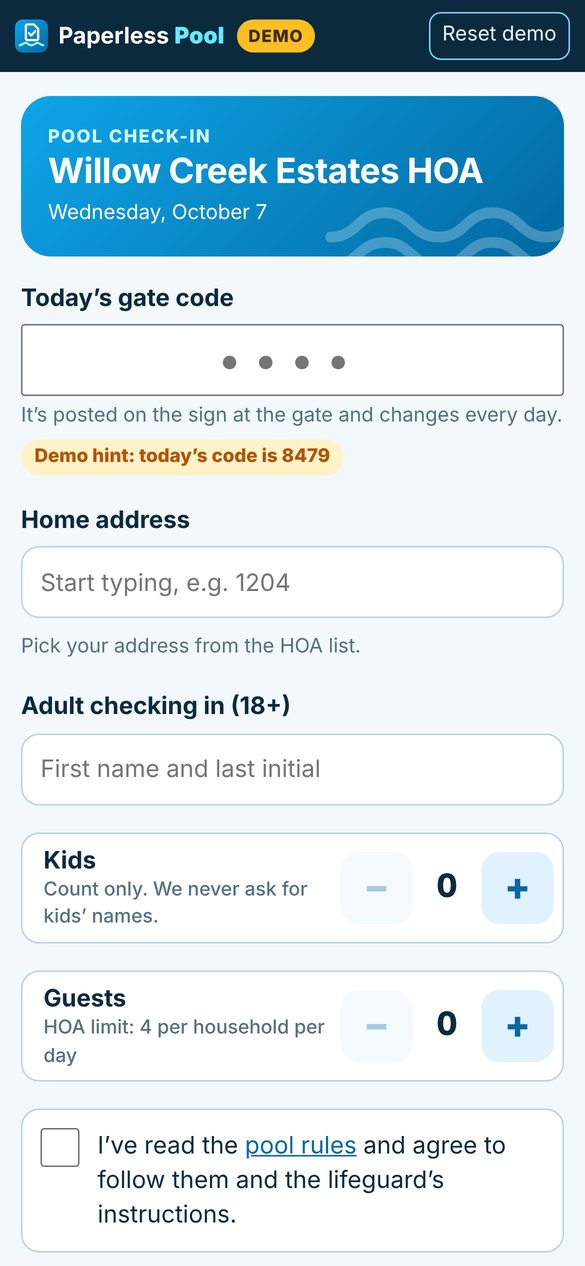
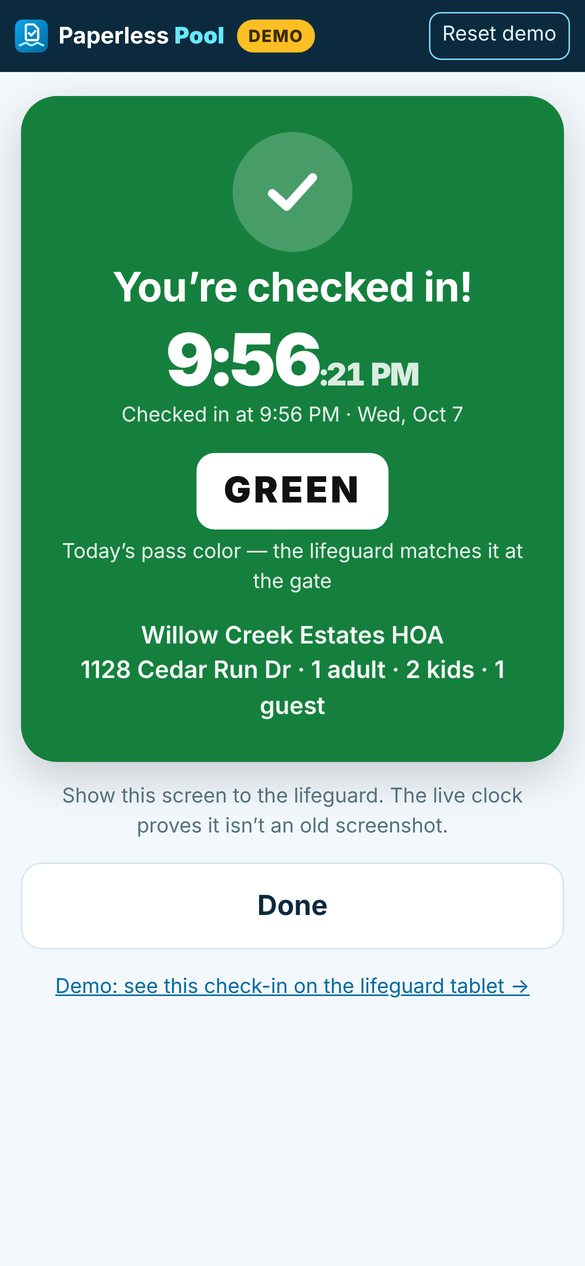
A laminated sign at the gate opens the check-in page, so there’s no app or account. Residents enter today’s gate code, their address, and one adult’s name. Kids are counted, never named. Guests are capped at your HOA’s limit.
A big color pass with a live clock tells the lifeguard it’s today’s check-in, not a screenshot.
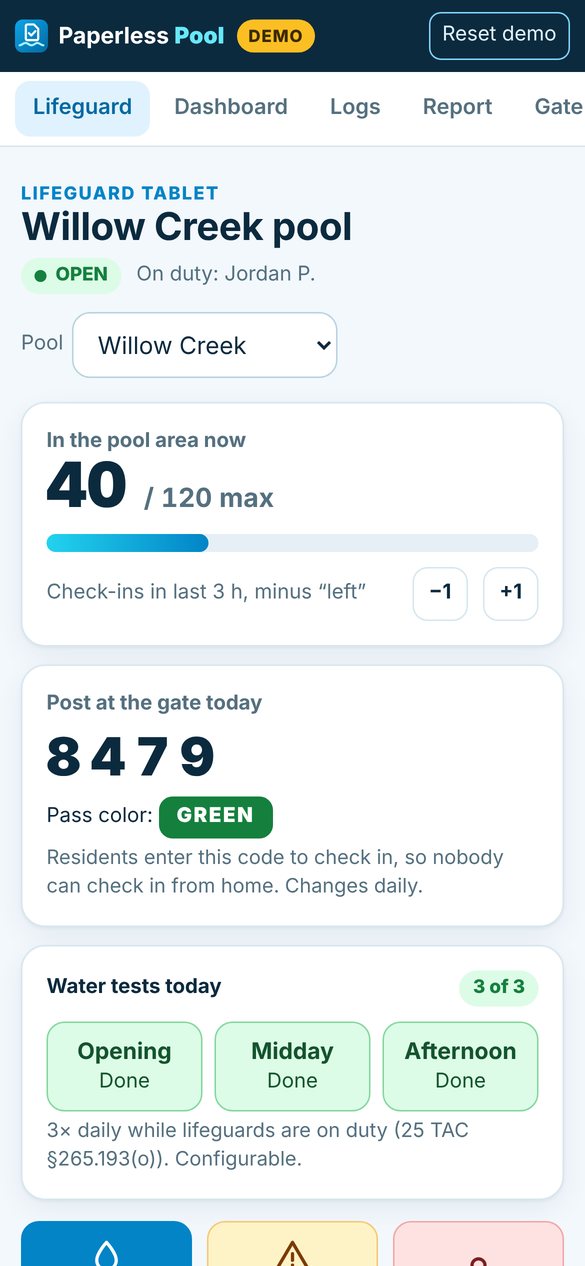
Live headcount against your maximum bather load, and today’s check-ins with any “see lifeguard” flags. One tap logs a water test, an incident, or a closure, and tests due today stay on screen.
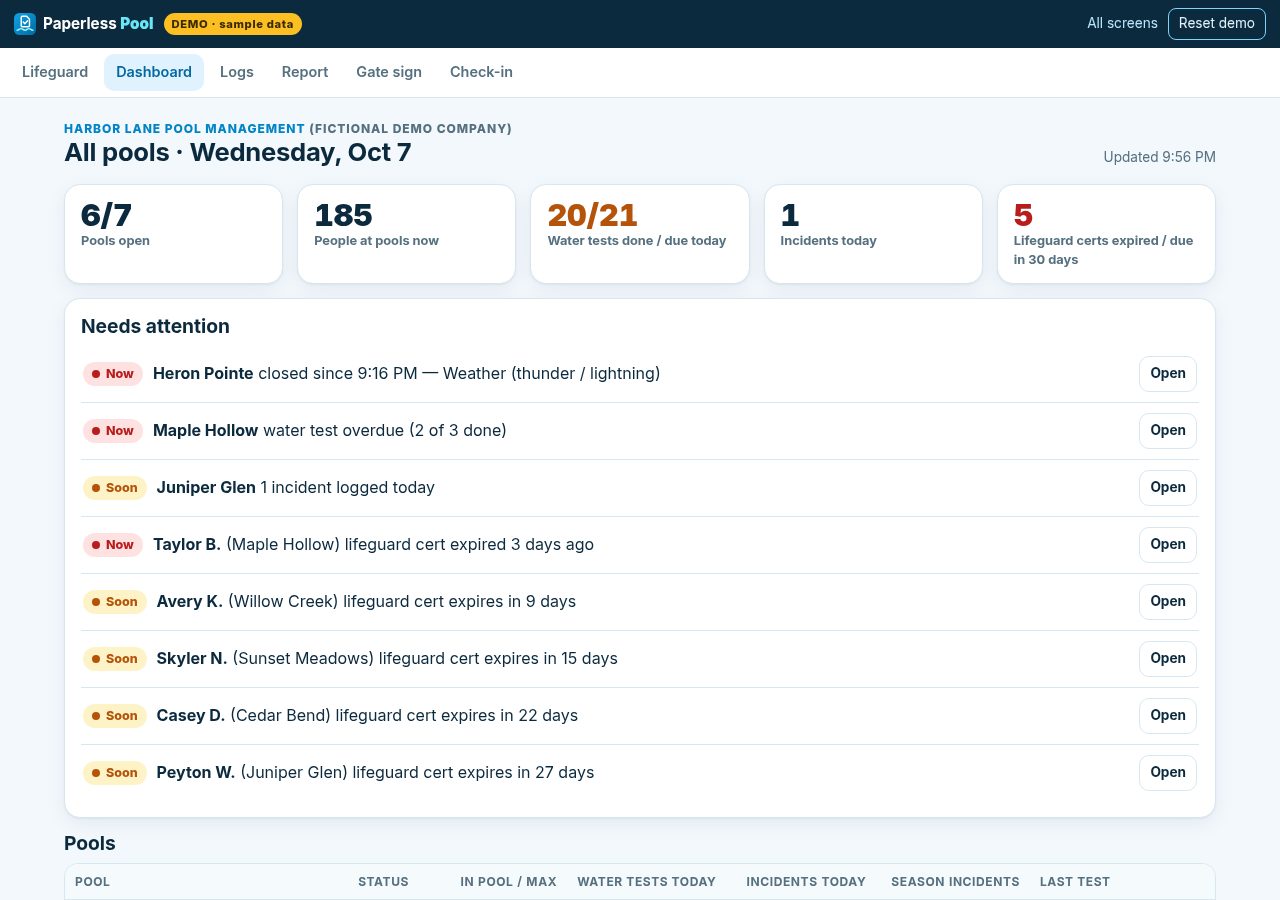
See which pools are open or closed, how full they are, whether tests are done, any incidents, and lifeguard certifications that are about to expire. Click into any pool for its logs.
Features
The code changes every day and is posted at the gate, so nobody checks in from the couch.
Set each HOA’s per-household limit. The check-in form stops at the cap so the lifeguard doesn’t have to argue.
Addresses not on the list, or with an HOA note, show “see lifeguard.” Access decisions stay with the board.
Check-ins, “left” taps, and manual ±1 against the pool’s maximum bather load.
Free chlorine, pH, combined chlorine and temperature, timestamped, with the corrective action. Readings outside your configured ranges are flagged.
Shows how many tests are due today and which are overdue, per pool. Default is 3 a day while lifeguards are on duty, and it’s configurable.
Minimal fields with no minors’ names. Closing a pool pauses check-in and shows up on your dashboard right away.
Expiration dates for every guard at every pool, with a 30- and 60-day lookahead.
Filter by pool and date range, then print or export CSV.
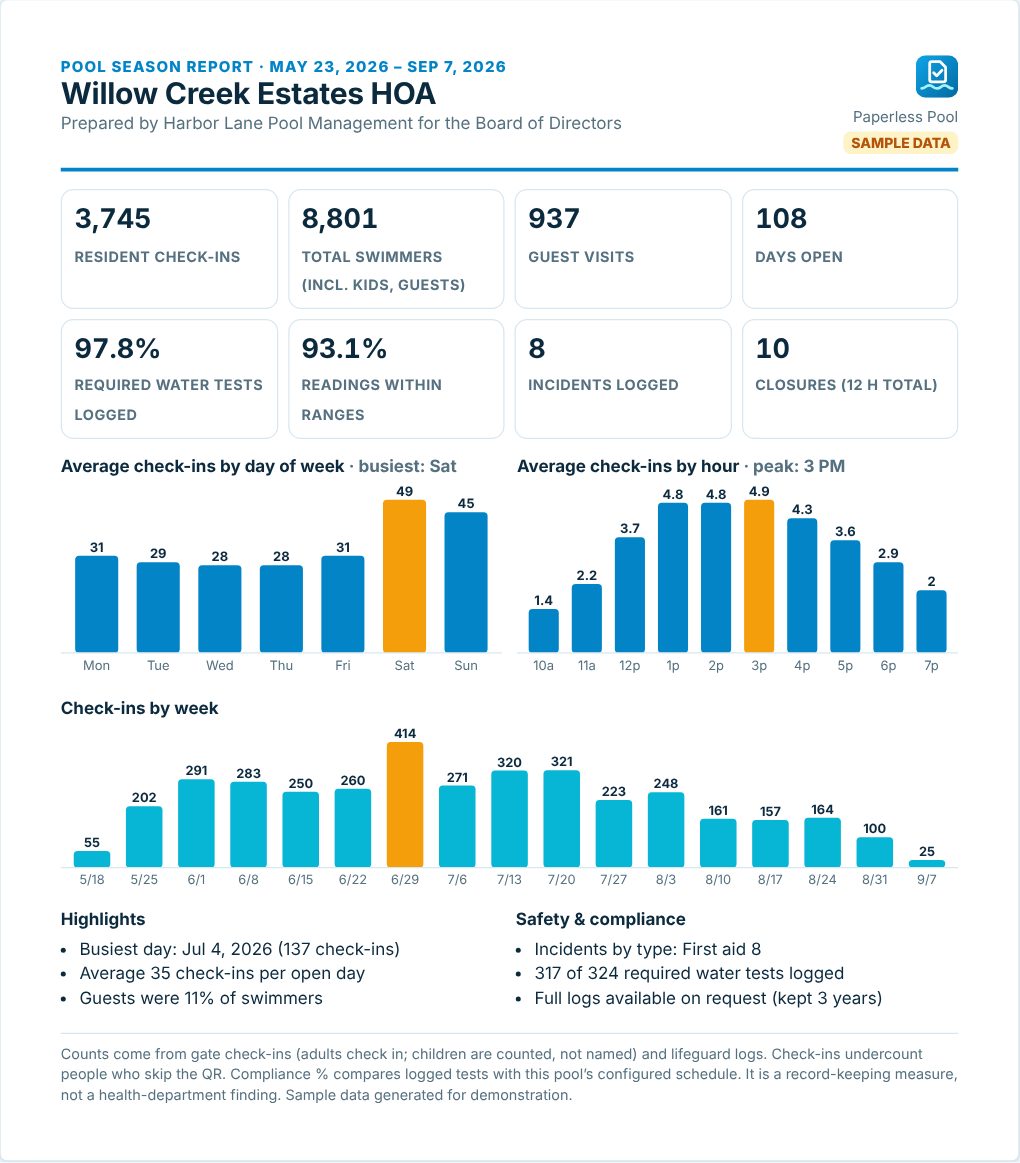
One printable page per HOA: visits, busiest days and hours, guests, incidents, closures, and test-logging rate.
A letter-size, laminate-ready QR sign for each pool, with a spot to write the day’s code.
If Wi-Fi or a phone fails, the paper sheet is still there. Lifeguards can type it in later.
Texas records
HOA pools are public pools under Texas rules. Paperless Pool is organized around the records in 25 TAC Chapter 265, Subchapter L:
Privacy by design
Pricing
One price per season for your whole portfolio. Setup, gate signs, and lifeguard quick-start are included.
$1,500/season
Up to 25 pools
$3,000/season
Up to 60 pools
$4,500/season
Up to 125 pools
Custom
125+ pools
$249/season
One pool, run by the board or volunteers
$0 on 5–10 pools
For a small number of founding pool management companies: we set up 5–10 of your pools for one season at no cost. If it’s not worth paying for, walk away.
FAQ
Keep a paper sign-in sheet at the gate as a fallback. Lifeguards can enter it later so the day’s log stays complete. Check-in runs on each resident’s own phone, so a pool tablet going offline doesn’t stop residents from checking in.
The HOA and its pool management contractor. You can export CSV at any time. We don’t sell it or use it for advertising. See the privacy policy draft.
No. They scan the QR code with their phone camera and fill out one short page. A returning phone remembers the address and name, so the next visit takes a few seconds.
Kids are a count only. We never ask for children’s names, and incident notes use approximate age (“child, about 8”). We don’t use location tracking or photos.
The lifeguard taps “Close pool” and picks a reason (weather, fecal incident, chemistry, maintenance). Resident check-in pauses with a “pool closed” message, the closure shows on your dashboard, and it lands in the log. Reopening asks the guard to confirm the water was tested.
No. It can flag an address as “see lifeguard,” but it never blocks anyone automatically. Suspending common-area privileges is the board’s decision, and Texas law has notice and hearing steps for that (Tex. Prop. Code §209.006–.007).
It depends on how many pools you have and what shape the resident lists are in. We’ll scope it with you on the demo call. Setup is done for you: we load pools and addresses, print-ready gate signs, and a short lifeguard guide.
No software can promise that. Paperless Pool helps your team keep timestamped, searchable records and see what’s due. Your certified operator and local health authority decide what compliance requires.
Yes. Test schedules, chemistry ranges, guest limits, and bather loads are all settings. Texas defaults are just where we start.
Book a demo
We’ll walk through the check-in, the lifeguard tablet, and the dashboard in about 20 minutes, then talk about whether a pilot makes sense for your portfolio.